Experiencing Instagram Glitches? First, Ask: Is Instagram Down?
There are few things more frustrating in the digital age than reaching for your phone to scroll through your Instagram feed, only to be met with an error message, a perpetually loading screen, or a complete inability to access the app. In that moment of digital despair, one question immediately springs to mind: "Is Instagram down?" Whether you're trying to share a new photo, catch up on stories, or simply send a direct message, a non-functional Instagram can disrupt daily routines and even business operations for millions worldwide.
Instagram, a powerful online photo-sharing and social networking service, allows users to capture, edit with filters, and share pictures and videos across a vast network. Available as a beloved application for iPhone, iPad, and Android devices, it has become an integral part of how we connect, express ourselves, and consume visual content. As a subsidiary of Meta (formerly Facebook), it leverages a massive global infrastructure. However, even the most robust systems can encounter issues, leading to widespread outages.
This article will guide you through the definitive steps to determine if Instagram is experiencing a global outage or if the problem might be localized to your device or connection. We'll explore reliable methods to check its current status, understand common indicators of an outage, and provide actionable advice on what to do when your favorite social platform isn't cooperating.
Recognizing the Signs: Is Instagram Down for Everyone, or Just You?
Before diving into external checks, it's helpful to understand the symptoms of an Instagram outage and differentiate them from individual app issues. Recognizing these signs can save you time and frustration, helping you quickly ascertain if you're dealing with a widespread problem or something specific to your setup.
Common Indicators of an Instagram Outage
- Feed Not Loading: Your primary feed shows old content, no new posts, or a persistent "Couldn't Refresh Feed" message.
- Unable to Post or Upload: You can't upload new photos or videos, or your posts fail to publish after multiple attempts.
- Direct Messages (DMs) Failing: Messages aren't sending, or you're not receiving new ones, despite your internet connection being active.
- Login Issues: You're suddenly logged out and can't log back in, even with correct credentials, or the app claims your password is incorrect.
- App Crashing or Freezing: The Instagram app frequently crashes, freezes, or becomes unresponsive upon launch.
- Stories Not Loading: You can't view stories from others, or your own stories fail to upload.
- Website Inaccessibility: If you try to access Instagram via a web browser (instagram.com), it shows an error page or fails to load.
Differentiating Between Personal Issues and Widespread Problems
The key to effective troubleshooting is knowing when the problem lies with Instagram's servers versus your own device or network. If you experience one or two of the above symptoms, it could be a localized issue. However, if you're encountering multiple problems simultaneously across different features, it strongly suggests a broader outage. For instance, if your feed isn't loading and you can't send DMs, the likelihood of a major Instagram outage increases significantly.
Before you conclude that Instagram is universally down, perform a quick self-check:
- Check other apps: Can you access other internet-dependent apps like YouTube, Twitter, or your web browser? If they work fine, your internet connection is likely not the issue.
- Try Wi-Fi and Mobile Data: Switch between your Wi-Fi and mobile data connection (or vice versa). Sometimes, a specific network provider might have a momentary glitch.
- Restart the app: Close Instagram completely and reopen it.
If these quick checks don't resolve the issue, it’s time to investigate external sources to confirm if Instagram is down globally.
Your Go-To Guide: How to Effectively Check for Instagram Outages
When Instagram isn't working, you don't have to navigate the uncertainty alone. Several reliable methods can help you quickly confirm whether there's a widespread outage or if the problem is specific to your device. Here's your comprehensive guide:
Leveraging Third-Party Status Trackers Like Downdetector
One of the most effective and widely used methods to check for Instagram outages is through independent, third-party status tracking websites. These platforms collect and analyze user-submitted problem reports from around the globe to identify service disruptions.
- How they work: Sites like Downdetector aggregate problem reports from users in real-time. They use this data to identify spikes in reported issues. A key insight is that Downdetector only reports an incident when the number of problem reports is significantly higher than the typical volume for that time of day. This prevents false alarms from isolated user issues.
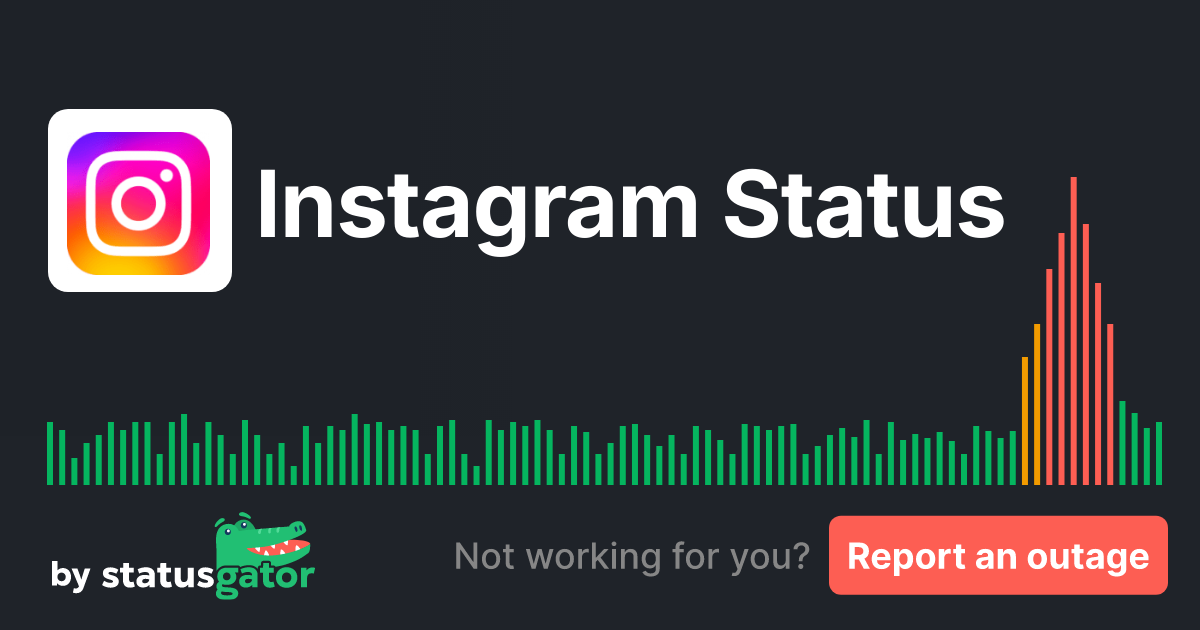
- What to look for: These sites often feature a "heatmap" or a graph showing reported problems over the past 24 hours. A surge in reports, especially one forming a distinct peak, is a strong indicator of an ongoing outage. The heatmap also typically shows where user-submitted problem reports are concentrated geographically, giving you a sense of the outage's reach.
- Actionable advice: Visit a site like Downdetector and search for "Instagram." Look at the current status, the graph of recent reports, and the comments section where users often share their experiences. You can get real-time insights by checking Is Instagram Down Right Now? Check Live Status & Outage Map.
Scouring Social Media for Real-Time User Reports
When a major platform like Instagram goes down, other social media platforms, particularly Twitter and Reddit, light up with user complaints. This can be an incredibly fast way to confirm an outage.
- Twitter: Search for hashtags like #InstagramDown, #InstagramOutage, #InstagramNotWorking, or simply "Instagram down." If thousands of users are tweeting about the same issue, it's highly probable that Instagram is experiencing an outage. You can also check for trends to see if "Instagram" is a trending topic.
- Reddit: Visit subreddits like r/instagram or r/techsupport. Users often post about widespread issues almost immediately, and you can see if others are experiencing the same problems.
- Why it's effective: The collective power of a global user base provides instant, crowd-sourced information that often precedes official statements.
Checking Instagram's Official Channels
While third-party sites are often quicker to reflect user reports, it's always good practice to check official sources for confirmation and updates, especially for larger, more prolonged outages.
- Instagram's Twitter account: Instagram (or Meta's official accounts) might post updates regarding service disruptions. However, they typically only acknowledge significant, prolonged outages.
- Meta's Status Page (if available): For developers or businesses, Meta might offer a dedicated status page for its services, but a publicly facing, easily accessible one for general user outages is not always prominent.
Quick Local Checks: Is Your Connection the Problem?
Before concluding that Instagram is down, quickly rule out issues on your end:
- Internet Connection: Ensure your Wi-Fi or mobile data is active and functioning properly. Try loading a different website or streaming a video to confirm.
- Router Reboot: If your Wi-Fi seems problematic, try restarting your router.
- App Update: Check your device's app store (Google Play Store or Apple App Store) to see if there's an available update for Instagram. An outdated app version can sometimes cause functionality issues.
What to Do When Instagram is Down (And What Not To)
Once you've confirmed that Instagram is indeed experiencing an outage, the natural question is, "What now?" While you can't fix Instagram's servers, there are best practices to follow to minimize frustration and ensure you're ready when service resumes.
Practical Steps During a Widespread Outage
- Be Patient: This is the most important step. Outages, especially from major platforms, are usually high-priority issues for their engineering teams. They are likely working around the clock to restore service.
- Avoid Repeated Attempts: Constantly trying to log in, refresh your feed, or upload content will not magically fix the problem and can sometimes put unnecessary strain on recovering servers.
- Monitor Status Sites: Keep an eye on the third-party status trackers (like Downdetector) or social media (Twitter) for updates on when service is being restored. You can keep an eye on real-time problem reports and a 24-hour map by checking Instagram Down: See Real-Time Problem Reports & 24-Hour Map.
- Don't Reinstall Immediately: Unless specifically instructed by Instagram support (which is rare during an outage), avoid reinstalling the app. This can sometimes lead to losing saved drafts or login data if the problem isn't on your end.
- Report the Issue (If Applicable): Some status tracking sites allow you to submit your own report, contributing to the collective data that helps confirm the outage.
Troubleshooting Individual Instagram Issues (If It's Not Down)
If your checks indicate that Instagram is NOT down for everyone, but you're still facing problems, the issue is likely on your end. Here are advanced troubleshooting steps:
- Clear App Cache: Go to your phone's settings (for Android: Apps & notifications > Instagram > Storage & cache > Clear cache; for iOS: Offload App in iPhone Storage settings, then reinstall). A corrupted cache can often cause unexpected behavior.
- Update Your Device's Operating System: Ensure your phone's operating system (iOS or Android) is up to date. Compatibility issues can arise with older OS versions.
- Check Device Storage: Insufficient storage on your device can cause apps to malfunction or crash. Clear out unnecessary files or apps.
- Try a Different Device: If possible, try logging into Instagram on a different phone, tablet, or via a web browser on a computer. This can help confirm if the issue is with your primary device.
- Contact Instagram Support: As a last resort, if all else fails and Instagram isn't down, you can attempt to contact Instagram's support channels, although direct, immediate assistance for individual issues can sometimes be challenging to obtain.
Conclusion
The next time you're left staring at a blank Instagram feed or struggling to post that perfect story, remember that you have the tools and knowledge to quickly determine the cause. By understanding the common signs of an outage, leveraging reliable third-party status trackers like Downdetector, monitoring social media for real-time reports, and performing quick self-checks, you can swiftly answer the question: "Is Instagram down?" Patience is key during widespread outages, while targeted troubleshooting can often resolve individual app glitches. Armed with this guide, you can navigate Instagram's occasional downtime with confidence and get back to connecting with your world as soon as possible.